The 3D seed map for Minecraft

Any seed. Mapped in 3D.

Type a seed and its whole world rises in front of you. Fly over continents, drop down to single blocks, and find every village, stronghold and ancient city before you set foot in it.

iPhone and iPad · Java and Bedrock · every version from 1.18 to today

Seed

Any number or phrase works.

You are looking at a real seed

Its terrain, worked out by the app's own engine.

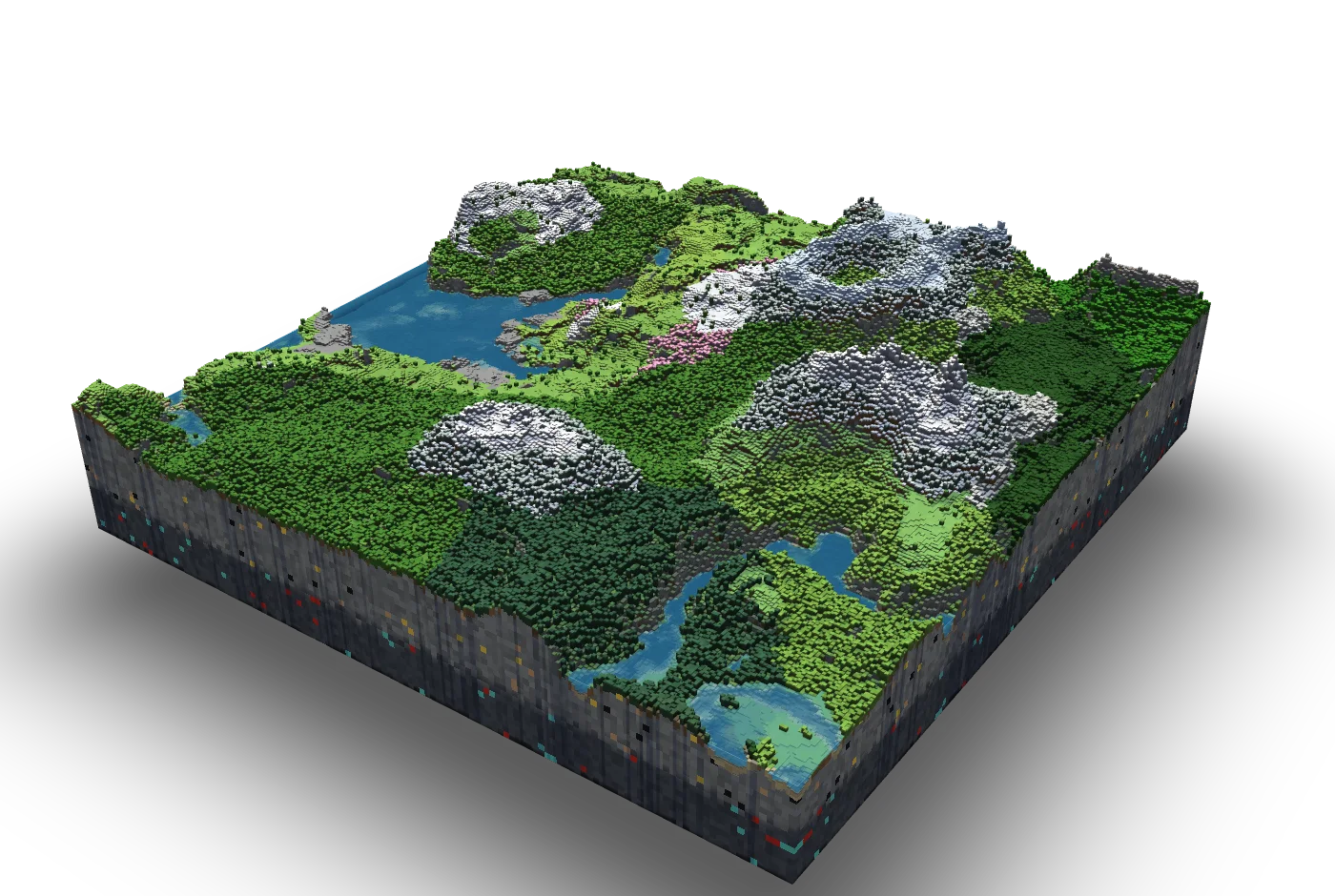
Not a picture: every column stands where the game puts it. Drag to turn it.

True heights, real blocks

Continents from high up, then hills, rivers and woods.

Every zoom is the real terrain. Mountains don't sink as you leave them.

Nothing pops in

Then the very block you would stand on.

Blocks rise out of the land they belong to. Trees grow out of the floor.

The map

From the whole world down to a single block.

Every zoom is the real terrain, in blocks and at its true heights: continents from high up, then hills, rivers and woods, then the very block you would stand on. Each biome keeps its own colours and says its name as you cross it.

  • Birds cross the view, animals graze, villagers walk their villages.
  • Nothing pops in. The land rises, trees grow, a new seed reshapes the old world.

Your seed

A new seed reshapes the old world.

Type a number or a phrase, roll a seed at random, or carry on where you left off. The world you were looking at takes the new one’s shape, rippling out from the middle.

Places

Find anything. One tap flies you there.

Open Places and choose what you are looking for. The map shows only those, and says how many are in view.

  • Villages
  • Ancient cities
  • Woodland mansions
  • Pillager outposts
  • Jungle temples
  • Igloos
  • Ocean ruins
  • Trail ruins
  • Nether fortresses
  • End cities
  • Strongholds
  • Trial chambers
  • Ocean monuments
  • Desert temples
  • Witch huts
  • Shipwrecks
  • Buried treasure
  • Ruined portals
  • Bastions

Nearest

Nearest. Then the next one.

Tap Nearest and the map flies there, then steps on to the next one. Every place comes with its coordinates, ready to copy.

Structures

Built as the game builds them.

No pins on a flat map. Every structure stands there as a 3D model, block for block and at its true size: a mansion with all its rooms, a village with its houses and the people who live in them.

  • They rise out of the ground as you come close, and sink back as you leave.
  • To build them exactly, Seedlands uses the game’s own building pieces. It fetches them from Mojang only if you confirm that you own Minecraft and accept its licence.

X-ray

What is buried shows through the ground.

Strongholds, ancient cities, trial chambers, trail ruins and buried treasure lie under the land as a cool blue scan. Come closer and you look into their rooms, with chests, spawners and portal frames picked out in their own colours.

The Nether

Then straight down.

The Nether

Out over the Nether.

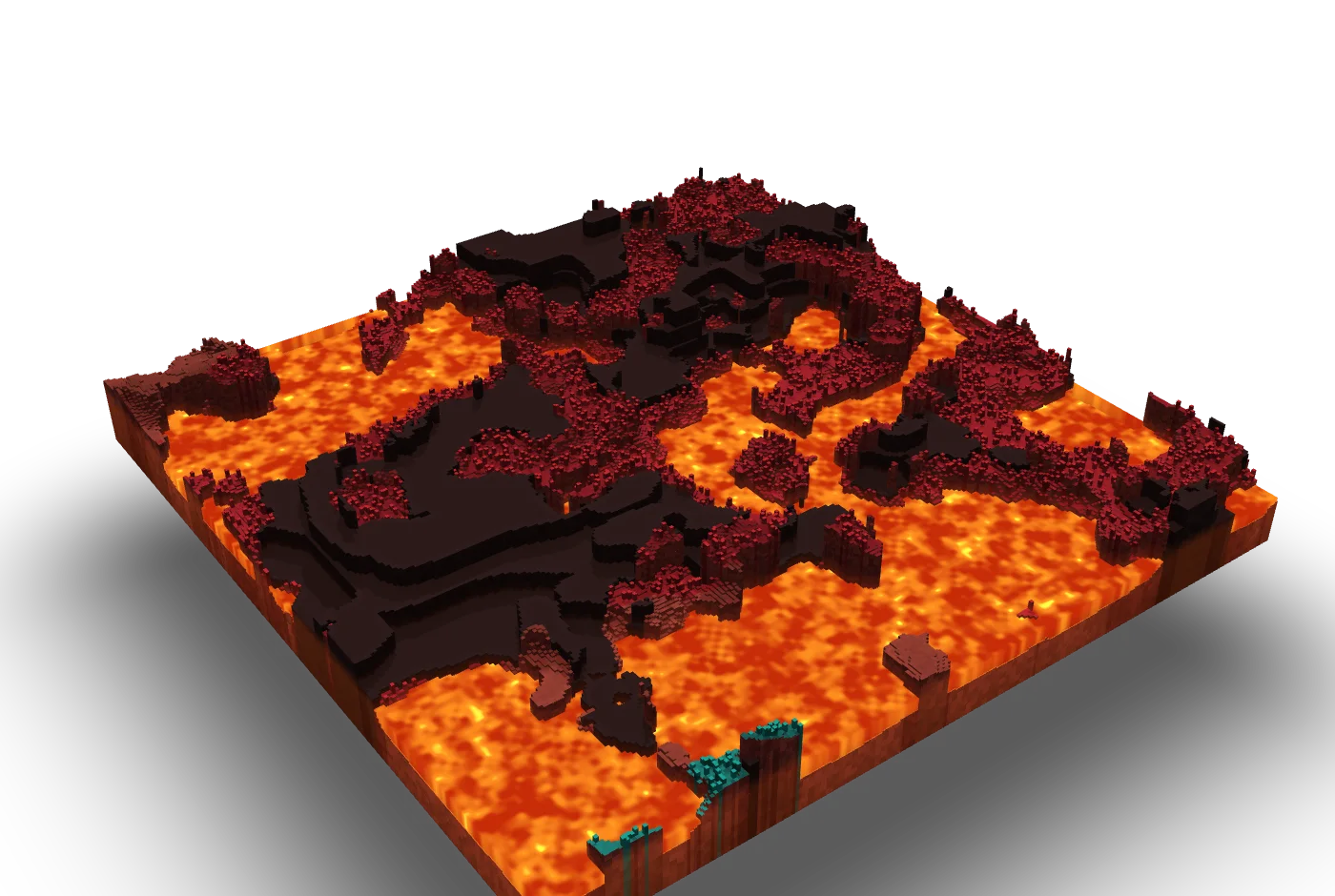
One tap dives from the Overworld through rock and bedrock, down the dark between the worlds, and comes out over the very spot a portal would lead to. Down there: lava seas, fortresses, bastions and ruined portals, on one calm map.

  • Every spot comes with its matching coordinates in the other dimension.
  • The same key brings you back up, by the same way.

The same dive, as the app flies it, and what waits below.

The dive, in the app
A fortress over a lava sea

The End

And up, to where the End floats over nothing.

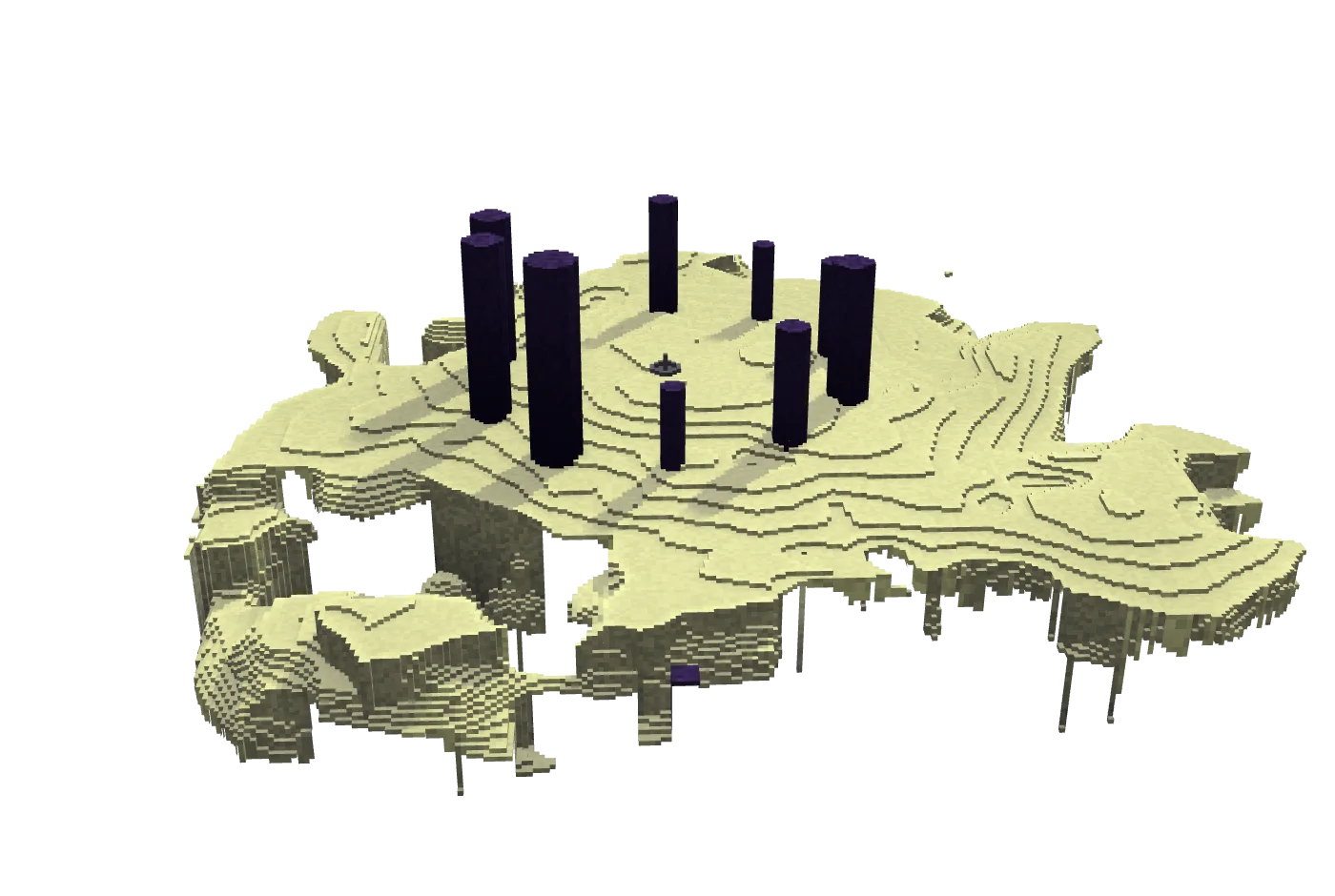
A second key leads the other way: up out of the sky, through the dark between the worlds, and out on the main island, between its obsidian pillars with their crystals. Beyond the void lie the outer islands, each with a top and an underside.

  • End cities stand as the game builds them: towers, bridges and, on some, the ship with its elytra.
  • Chorus plants grow on the highlands. Endermen walk the islands, until one is suddenly somewhere else.

Up out of the sky, and out among the islands.

The way up, in the app
An End city, block for block

Live mode

Play, and the map rides along.

Connect Minecraft: Java Edition and the map follows you like a navigation system. It turns with your view and moves as you move, comes closer while you stand and stands off the faster you go. How close it rides is yours to choose.

  • Leave one of your worlds for another and the map changes with you. Each is called what you named it.
  • Take the map with a finger whenever you like. One tap sets it following you again.

You, in 3D

Exactly where the game has you.

You stand on the map as a figure, and get about as you do in the game: on foot, gliding, rowing a boat, riding a horse, a pig or a strider, swimming and diving.

Live, indoors

Inside a structure, its plan becomes the map.

Walk into an ancient city or a stronghold deep down, a woodland mansion, an ocean monument or a desert temple, and the land around you lifts away block by block. What is left is the structure’s plan, open at the floor you stand on, and it paints in where you have already been.

  • Each seed remembers where you have walked, and keeps it in your iCloud. Start over whenever you like.
  • When a shrieker goes off, the Warden’s warnings count down over the bar.

Seedlands Link · the mod

One small mod.
Nothing to type.

Seedlands Link is the free companion mod for Minecraft: Java Edition. With it your game finds Seedlands on your Wi‑Fi by itself: no addresses, no passwords, no account.

Version 1.2.064 KBFabricMinecraft: Java Edition 26.1 or newer

  1. 1
    Install Fabric Loader for your version of the game.
  2. 2
    Put Seedlands Link into your game’s mods folder and start the game.
  3. 3
    On your iPhone or iPad, on the same Wi‑Fi, open Seedlands and tap the walking figure at the top right.
  4. 4
    When the key lights up, tap it. The map takes your game’s version and seed, and follows you.

What it tells, and to whom. Seedlands Link runs on your computer only and talks to Seedlands on your own network. It tells the app your player name and the game’s version, the name of the world or server you are in, where you stand, which way you look, which dimension you are in, what you ride, your pose (such as swimming or gliding), whether you are in the water and, in single-player, the world’s seed and how often a shrieker has warned the Warden of you. Nothing leaves your network.

And the rest

Small things, done properly.

Coordinates, both ways

Touch and hold anywhere for X, Y and Z and the biome. Type or paste coordinates to fly there. Overworld and Nether are converted for you.

Java and Bedrock

Java Edition from 1.18.2 to 26.3, Bedrock Edition from 1.18 to 26.60. Choose the version your world was made in.

Back where you left it

Put the app away and open it again: the map is there on the first frame, exactly where you were.

Nothing collected

No account, no ads, no tracking. Everything the map shows is worked out on your device, from the seed. Privacy

iPhone, iPad, iPhone Duo

Made for each, with smooth motion at up to 120 Hz, and in eleven languages.

Help, from a person

Something doesn’t match your world? Support has the answers, and every message is read.

See your world before you set foot in it.

Seedlands, for iPhone and iPad.